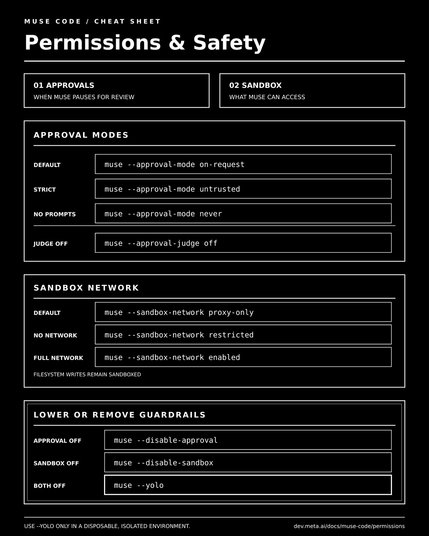
Here're some useful insights from playing with Muse Code over the last few days, especially around permissions and safety.Muse Code gives us two independent layers of control:- Approval layer: decides when Muse must pause and ask.- Sandbox layer: enforces filesystem and network boundaries.Examples with the sandbox enabled:🔒 Strictmuse --approval-mode untrusted --sandbox-network restricted⚖️ Balanced/defaultmuse --approval-mode on-request --sandbox-network proxy-only🚀 Autonomous but containedmuse --approval-mode never --sandbox-network enabledNetwork options:- restricted → no network access- proxy-only → approves connections per destination- enabled → full network accessTo lower or remove guardrails:- muse --disable-approval → no approval prompts; sandbox stays on- muse --disable-sandbox → approvals stay on; sandbox and workspace confinement are removed- muse --yolo → disables both layers and trusts the workspace#meta #ai #musecode
Here're some useful insights from playing with Muse Code over the last few days, especially around permissions and safet...